One of the oldest observations in software engineering is that designing the first 90% of a system is relatively easy. It's designing the second 90% that's difficult. The hard part is discovering and specifying the alternate, off-nominal, and exception behaviors that distinguish a robust production system from a prototype.
Teams struggle with the second 90% because they skip the off-nominal behavior. Not because it isn't important, but because discovering alternate and exception behavior is hard work - especially when it is done manually. Those missing scenarios often become "Swiss cheese requirements": specifications that appear complete but contain hidden gaps in alternate and exception behavior.
Skipping off-nominal behavior is one of the primary causes of catastrophic software failures (often called the "Blue Screen of Death"). Pain-Free Use Case Modeling teaches you to discover and specify those behaviors before implementation begins, when missing requirements are still inexpensive to correct.
Pain-Free Use Case Modeling teaches use cases as a requirements discovery technique. The goal is to systematically discover alternate and exception behavior before implementation begins.
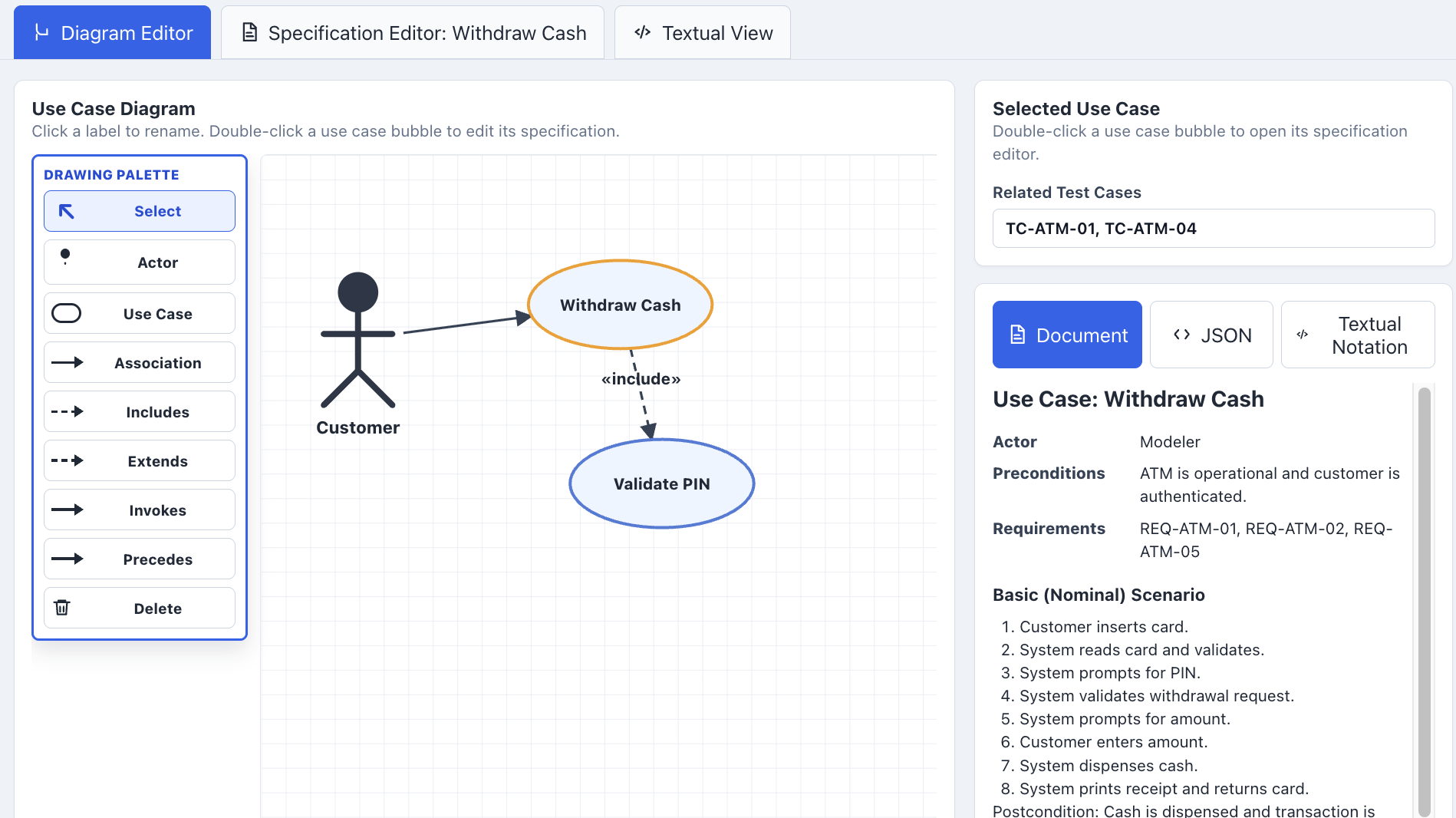
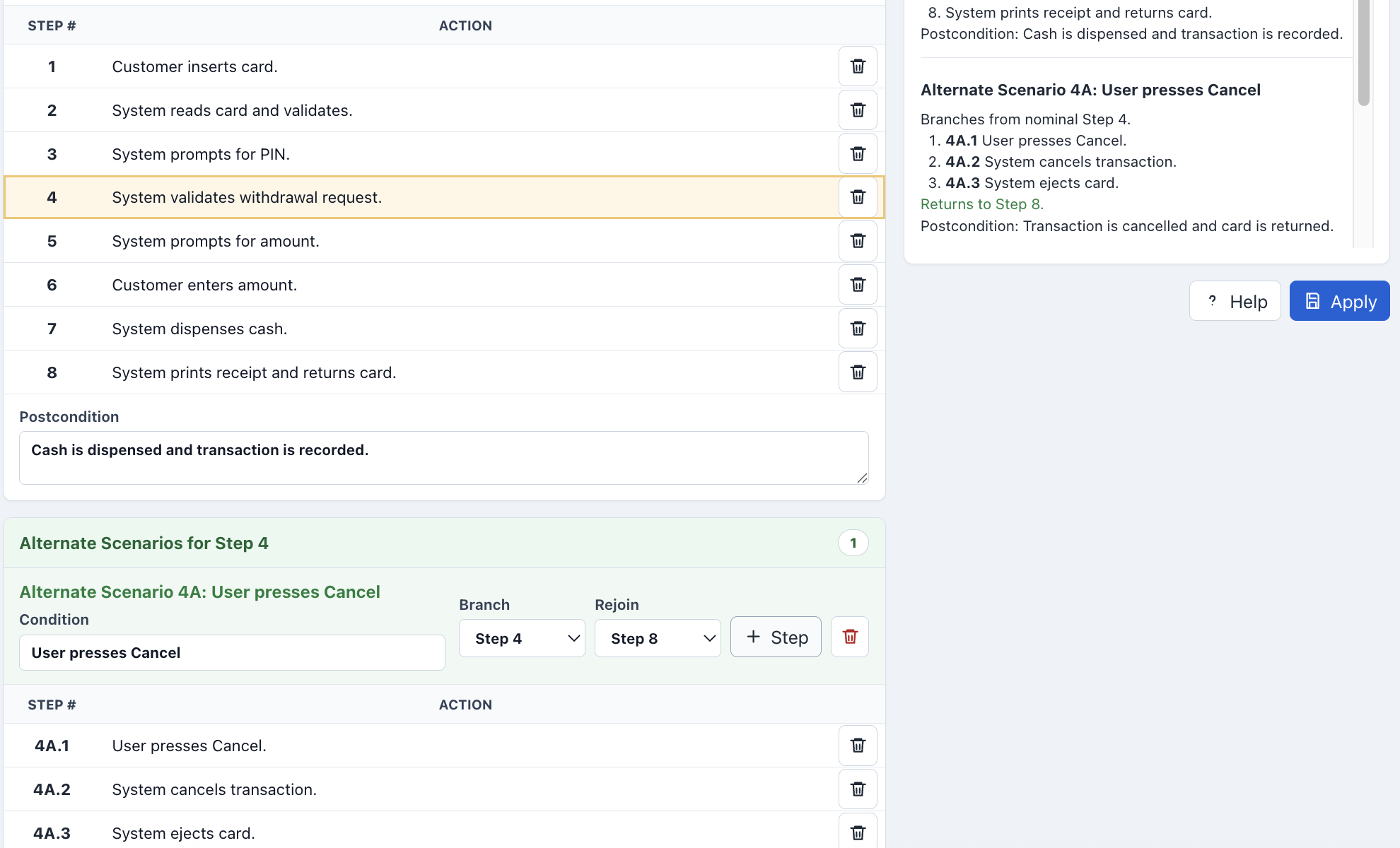
Unfortunately, most use case training focuses primarily on use case diagrams rather than on how to write a good use case. The diagram identifies users and their goals, but the real engineering value lies in the use case specification: a concise behavioral narrative that captures nominal, alternate, and exception behavior.
Many teams skip the narrative and jump directly to activity diagrams. That works reasonably well for sunny-day behavior, but activity diagrams quickly become large and cumbersome when rainy-day scenarios are added. A well-written use case specification remains concise by organizing alternate and exception behavior into short, focused sections tied to the basic path.
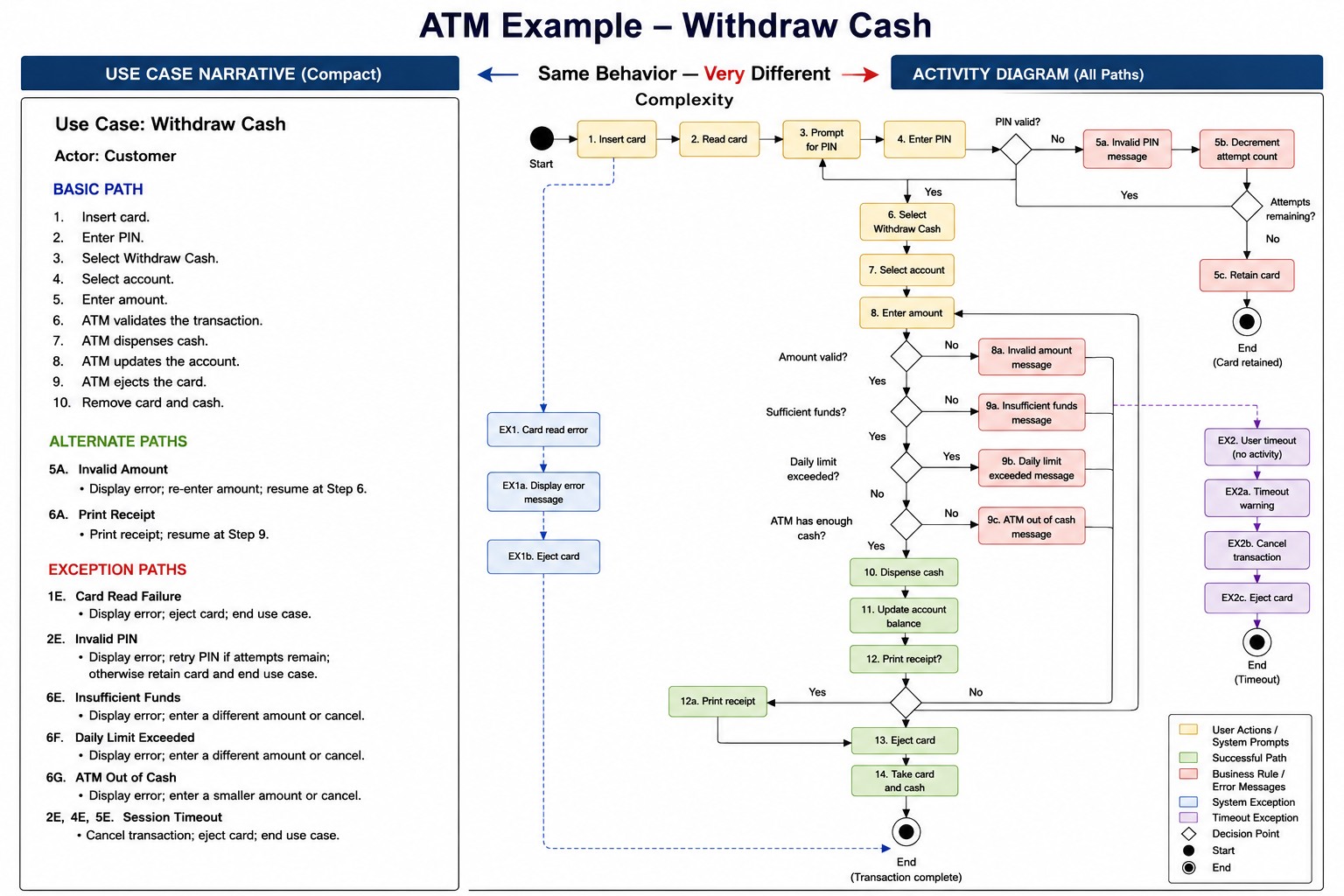
A good use case is a concise behavioral specification that completely describes how a system responds under nominal, alternate, and exception conditions. It keeps the basic path short and readable while organizing off-nominal behavior into focused sections that are easy to review, maintain, and use as the basis for comprehensive behavioral testing.
Use case diagrams should simplify the use case model, not make it harder to structure correctly.
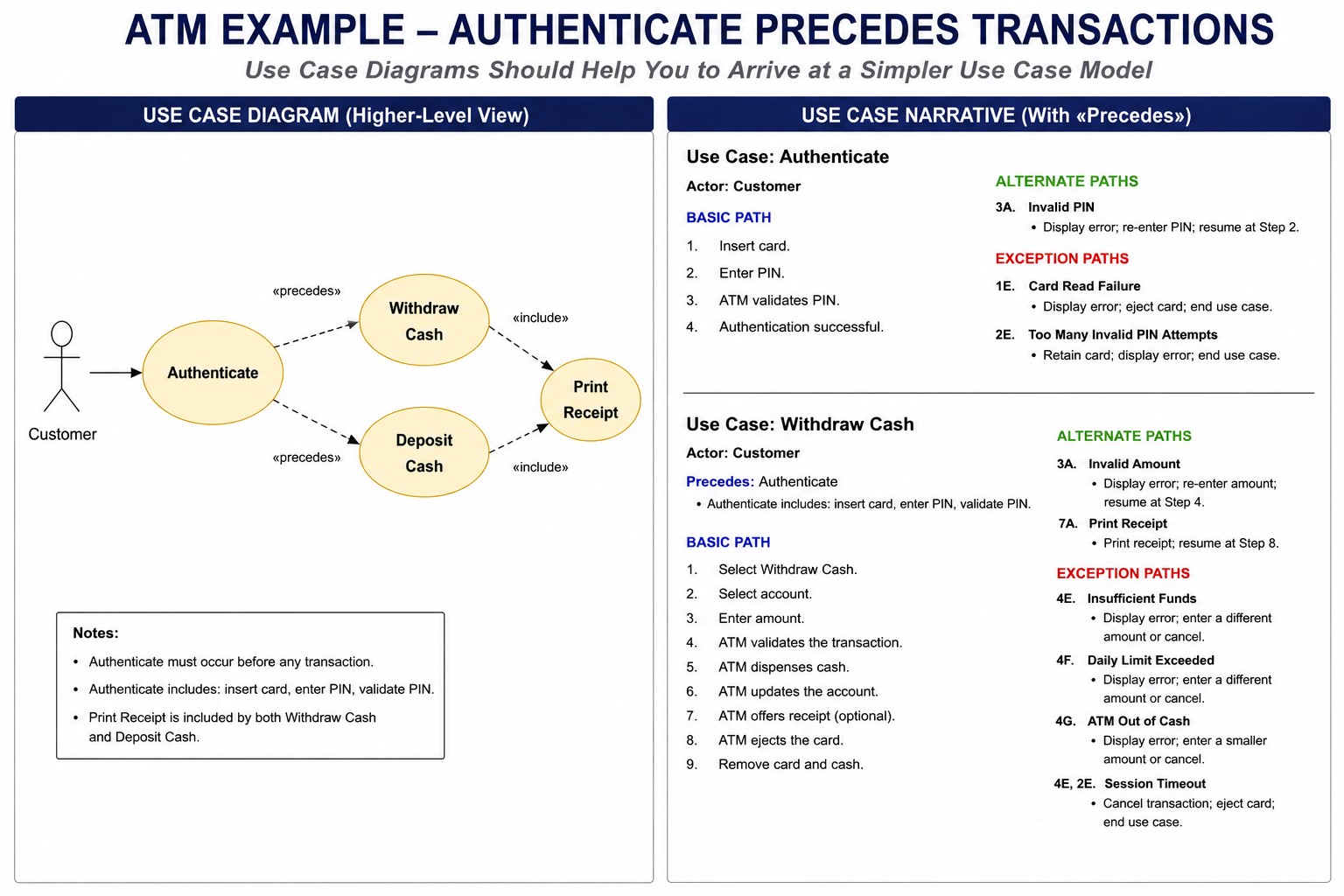
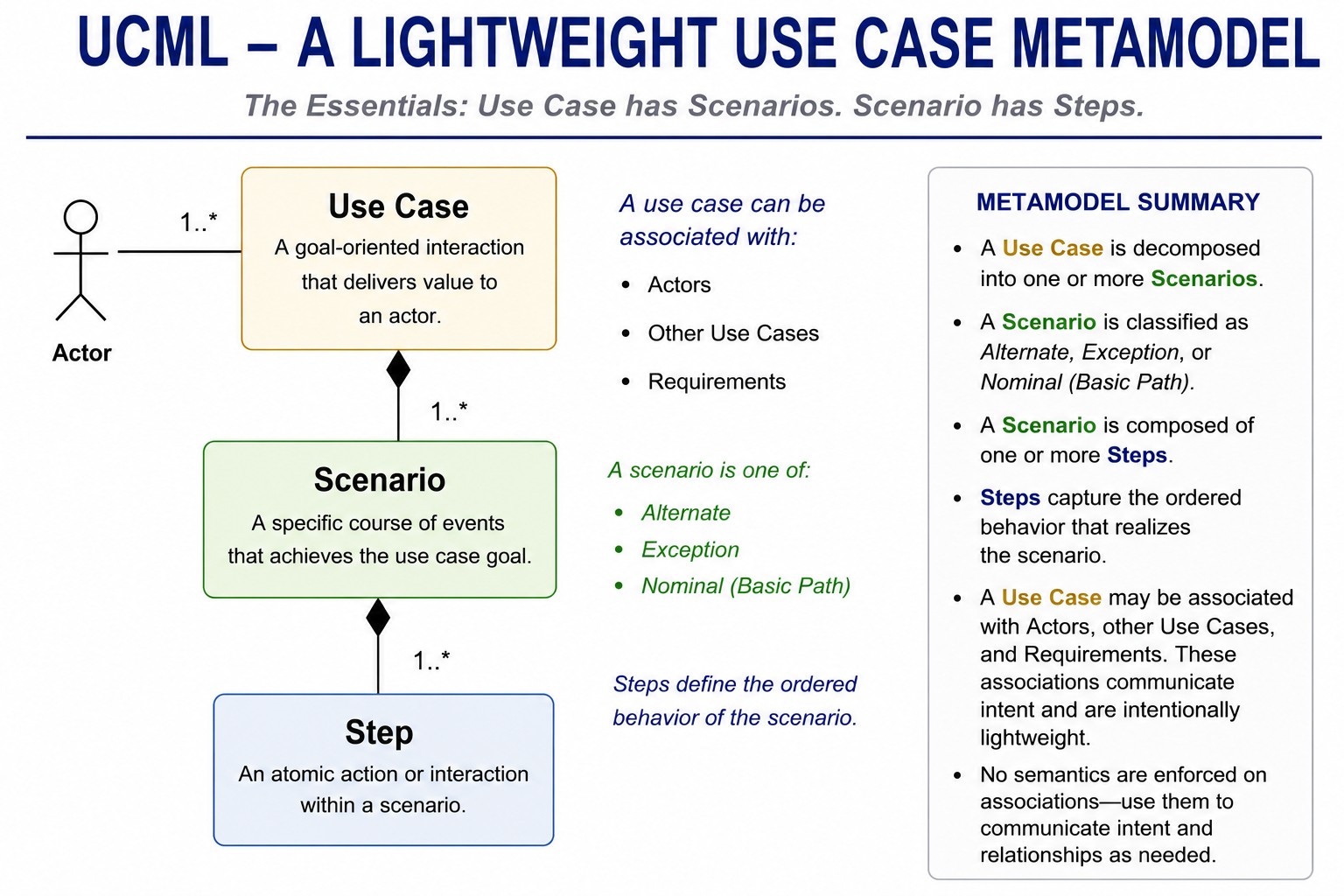
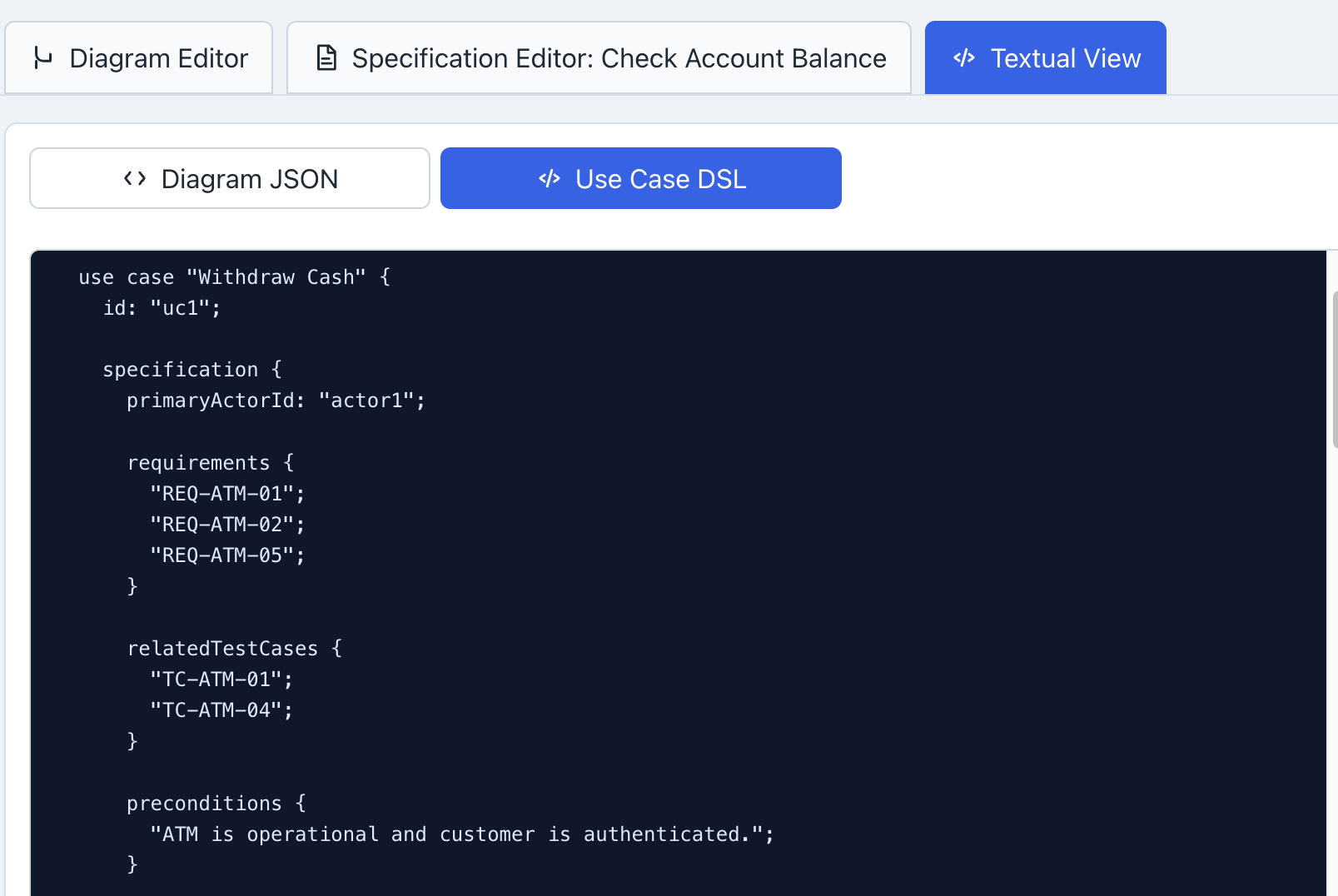
SysML metamodels (both v1 and v2) focus on use case diagram constructs and do not dive into details of the use case specs. We have developed a new metamodel (Use Case Modeling Language or UCML) that lets you describe use cases in terms of their scenarios, and the steps within each scenario.
By the end of the course, you'll know how to write good use cases - not just draw use case diagrams. More importantly, you'll know how to use those specifications to discover missing requirements, improve behavioral test coverage, and reduce the costly surprises that traditionally appear during the second 90% of software development.
The course includes hands-on practice with a no-cost structured use case editor that supports diagram editing, specification editing, save/open for structured use case models, and SysML v2 export for model-based engineering tools.